


4K Wallpapers - HD Backgrounds
4.91.13K Reviews
App Specs
- Version
- 2.4.3
- Updated On
- License
- Free
- Downloads
- 1,000,000+
- Developer
- Technozer Solution
- Categories
- Personalization
- Platform
- Android
Screenshots
 Analysis by AppCompare
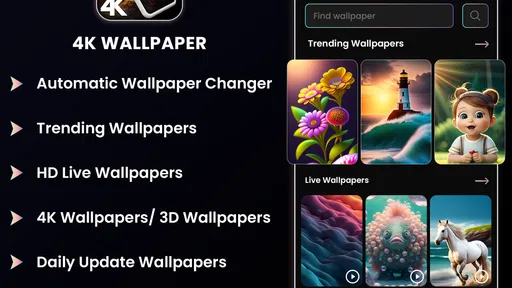
I spend a lot of time changing wallpapers, so I notice quickly when a personalization app feels useful rather than simply crowded with images. 4K Wallpapers - HD Backgrounds takes a fairly direct approach: it focuses on high-resolution backgrounds, live wallpaper customization, and a 3D background changer in one place. After using it, I see the appeal for anyone who wants a phone that feels less static without having to search through several separate tools.
The app is free to install, although it includes optional in-app purchases ranging from $2.99 to $99.99 per item. That makes the first decision easy—you can explore it without paying—but it also means I would check each purchase screen carefully before confirming anything. The age rating is Everyone 10+, and the app is listed for devices running Android 10 or later. Those details matter if you are setting up an older phone or choosing a wallpaper tool for a younger family member.
What the app is trying to do
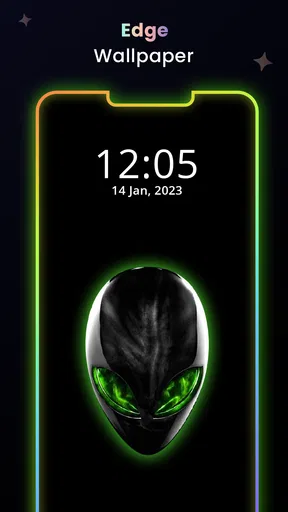
At its core, this is a personalization app from Technozer Solution. Its main job is to help you replace the ordinary background on your phone with sharper still images, animated scenes, or a more dimensional-looking design. The emphasis on 4K and HD gives it a more polished visual target than a basic wallpaper picker, while the live and 3D options are aimed at people who want movement or depth rather than a single flat picture.
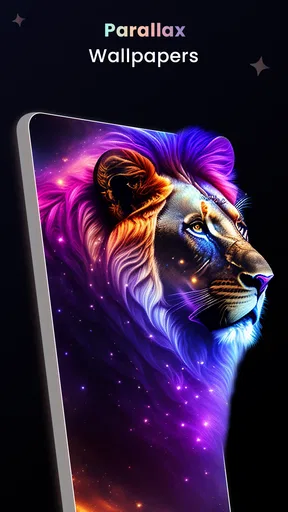
I found that combination more useful than it first sounds. A still image works well when I want a clean home screen, while a live option can make a lock screen feel more expressive. The 3D background changer is especially relevant if you like the illusion of layers or perspective but do not want to build a design manually. The important trade-off is that visual variety can make a phone feel personal, but it can also make icons harder to read if the background is too bright or busy.
The app has reached over a million installs, with an average rating of 4.9 from around ten thousand ratings and roughly one thousand one hundred written reviews. Those figures suggest that many users enjoy the concept, but I would not treat a high average as a guarantee that every wallpaper or customization option will suit your device. Wallpaper quality is subjective, and the experience can change depending on screen size, display technology, battery settings, and how much motion you personally tolerate.
Trust starts with what you can actually control
When I evaluate a wallpaper app, I pay attention to user choice before I judge the visual catalog. A background tool should not make me feel that I must accept every prompt or purchase simply to reach the basic experience. With this app, the practical approach is to move slowly through setup, read each visible option, and decide whether I want a still background, a live effect, or a 3D-style treatment.
That habit is particularly important because “free” does not mean every part of the experience is free. The app can be installed without charge, but the listed purchase range is wide. I would avoid tapping quickly on prominent buttons and would use the platform’s purchase confirmation and cancellation controls if I changed my mind. This is not a criticism unique to this app; it is simply the sensible way to handle any free personalization product with optional paid items.
Worth Reading Before You Choose

EA SPORTS FC Mobile 26 Is a Bigger Football Game, but It Takes Time

Flipboard Shows What News Apps Must Do Beyond the Feed

Switching to Android Auto Means Rethinking Your Driving Routine

Google Calendar Makes a Crowded Week Easier to Manage

Ludo King Makes the Most of the Minutes Between Plans

Baby Panda World Brings Quick Play to Modern Phones, but Its Game Library Feels Busy
I also prefer testing a wallpaper in a low-risk way. I first apply it to one screen, check whether text and icons remain readable, and then decide whether it deserves a permanent place. That workflow prevents a dramatic live background from taking over the entire phone before I have seen how it behaves during ordinary use. It also makes comparisons easier: I can judge the 3D effect against a normal image instead of relying on a preview alone.
The app’s current version is 2.4.3, which tells me that it has gone beyond an initial release and is still presented as an actively maintained product. It was released on May 1, 2023. I would still keep expectations realistic: a version number does not tell me how frequently a particular device receives the same experience, nor does it remove the need to review prompts and settings on my own phone.
Permissions and data-sensitive moments deserve attention
A wallpaper app can feel harmless because its output is only an image on the screen, but the moments around installation, browsing, saving, and applying content are still worth treating carefully. I would inspect the permission requests shown by my device and consider whether each one makes sense for the action I am trying to perform. If a request appears unrelated to selecting or applying a background, I would pause rather than approve it automatically.
I would also separate the visual decision from the account decision. If the app allows me to browse without creating an account, I would prefer to begin that way and see whether the basic workflow meets my needs. If an account prompt appears for a particular feature, I would read what is displayed before entering personal information. The useful principle is simple: share only what is needed for the feature I actually intend to use.
Another sensitive moment is payment. The listed in-app purchase range reaches from a small amount to a much larger item, so I would never assume that every unlock has the same cost. I would check the exact item, the billing confirmation, and the account used for the transaction. On a shared phone, I would make sure purchase authentication is enabled, especially if children can access the device.
I would apply the same care to notifications. A wallpaper app does not need to dominate my attention, and I would disable notifications that do not help me discover or manage backgrounds. Keeping alerts limited is a small but meaningful form of control: the app remains available when I want to personalize the phone instead of becoming another source of interruptions.
Where the visual tools are genuinely useful
The strongest use case is a quick refresh before an event or a change in routine. For example, if I am preparing for a trip, I might choose a calm landscape for the home screen and a darker image for the lock screen so the clock remains readable. If I am tired of the same static design, I can try a live or 3D-style background for a short period, then return to a still image when I want less visual activity.
There is also a practical distinction between phone roles. On a personal device, an animated background can be fun because the phone itself is part of my style. On a work phone, I would favor a restrained HD image with clear contrast. The app’s range of approaches makes that switch possible without changing personalization apps, but I would not assume that the most impressive preview is the most comfortable choice for daily use.
One less obvious tip is to judge a background with your actual widgets visible. A wallpaper that looks excellent in an empty preview may compete with calendars, weather information, or notification icons once the home screen is restored. I would test the image behind the areas where I normally place shortcuts. This is especially important with 3D compositions, since visual depth can pull attention toward the wrong part of the screen.
A second useful workflow is to compare motion with readability rather than beauty alone. I would watch a live wallpaper while opening apps, reading messages, and checking the time. If the movement keeps catching my eye, I would choose a calmer option. The best wallpaper is not necessarily the most detailed one; it is the one that improves the phone without making routine tasks feel busier.
A third trade-off concerns battery and performance. I would be cautious with animated backgrounds on an older or heavily used device, particularly if I already notice heat, slowdowns, or short battery life. I cannot assume that every live effect has the same impact, so I would observe my own phone after a normal day and switch to a still background if the experience feels less efficient. For many users, the visual gain will be worth it occasionally rather than permanently.
How it compares with ordinary wallpaper options
The usual alternative is the phone’s built-in wallpaper picker. That option is simpler, generally easier to understand, and often the better choice if I only want a plain color, a personal photo, or a background that integrates closely with the device’s system controls. It also avoids adding another dedicated app for a task the operating system already handles.
This app becomes more interesting when I want a broader visual treatment than the default picker offers. The combination of high-resolution backgrounds, live choices, and a 3D background changer gives me more room to experiment than a basic system gallery. The cost of that flexibility is extra browsing, more decisions, and the need to pay attention to optional purchases and visible controls.
Compared with using a single image downloaded from a general image search, the advantage is convenience: the app is built around wallpaper use rather than requiring me to crop, resize, and position every picture myself. The disadvantage is that I have less personal connection to a photograph I took or a design I created. If originality matters more to me than ready-made variety, my own photos or a dedicated design tool may be the better fit.
I would also choose a simpler alternative if I dislike motion, do not want purchase prompts, or prefer to keep the number of installed apps low. 4K Wallpapers - HD Backgrounds is aimed at people who enjoy browsing and changing their phone’s appearance. It is not the most sensible choice for someone who wants to set one background once and never think about personalization again.
What I would check before settling on it
Before making it part of my routine, I would confirm that the device meets the Android 10 minimum requirement. I would then try a still background first, because it gives me a baseline for image sharpness, cropping, and icon contrast. Only after that would I test the live and 3D options. This order makes it easier to identify whether a problem comes from the image itself or from the extra visual effect.
I would keep an eye on the placement of important screen elements. A centered subject may look attractive but sit directly beneath the clock or app icons. A darker lower section can be more useful than a brighter, more detailed design if that is where my shortcuts appear. These are small choices, yet they make the difference between a wallpaper I admire in a preview and one I can comfortably use every day.
I would also decide in advance whether I want to spend money. Since individual purchases can range up to $99.99, I would treat every paid item as a separate decision rather than assuming a single upgrade unlocks everything. If the free selection already gives me a background I like, I would stop there. That is one of the app’s strengths: installation does not force an immediate commitment, provided I pay attention to the purchase screens.
For privacy-minded users, my advice is to review permissions and any account prompts at the moment they appear, not days later. Visible choices are easiest to understand when I know what I am trying to do. I would decline anything that does not seem necessary for my chosen workflow and revisit the phone’s permission manager if I later change my mind. This keeps the decision in my hands without making claims about practices that are not visible in the app experience.
My cautious verdict
I like 4K Wallpapers - HD Backgrounds most as an experimentation tool. It gives me a convenient way to move between crisp still images, animated backgrounds, and 3D-style customization, while the free entry point lets me decide whether that variety is useful before paying. The app is a good match for someone who sees a phone background as part of their daily style rather than as a set-and-forget setting.
My recommendation comes with boundaries. I would not choose it for a device that struggles with performance, for a user who wants complete simplicity, or for anyone uncomfortable checking optional purchases and permission prompts. I would also avoid judging it solely by the 4.9 average; the right background depends on readability, comfort, and how the phone behaves in real use.
For me, the sensible approach is to start with a still image, test one live or 3D option, review the controls that appear, and keep only what improves the phone. If you enjoy changing your screen and are willing to make those choices carefully, this free personalization app is worth exploring. Its real value is not merely sharper wallpaper, but the control to decide how much visual change belongs on your device.
Pros
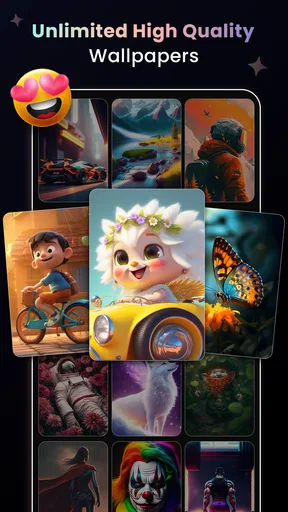
- Large collection of sharp 4K and HD wallpapers
- Fresh designs suit phones
- tablets
- and different screen sizes
- Simple browsing makes finding backgrounds quick
- Many categories cover nature
- space
- abstract
- and more
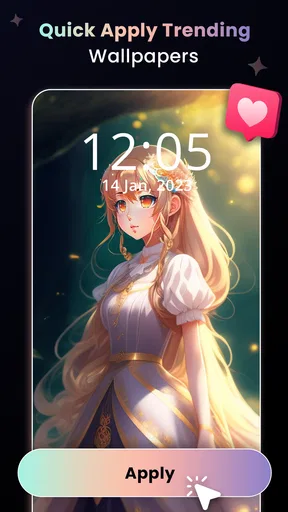
- Wallpaper previews make it easy to check the final look
Cons
- Some premium wallpapers may require payment or a subscription
- Frequent ads can interrupt browsing and downloading
- High-resolution images may use considerable storage space
- Download speed can depend heavily on your internet connection
- Some wallpapers may crop differently across device displays
FAQs for 4K Wallpapers - HD Backgrounds
What is 4K Wallpapers - HD Backgrounds?
4K Wallpapers - HD Backgrounds is a wallpaper application designed to help users personalize their Android or iOS device with high-resolution images. It typically offers categories such as nature, landscapes, animals, abstract art, cities, space, and minimalist designs. The app is intended for users who want sharper, more attractive backgrounds than the standard wallpapers included with their phone.
Does 4K Wallpapers - HD Backgrounds provide real 4K images?
The app focuses on high-definition and 4K-style wallpapers, but the exact resolution can vary depending on the image and the device platform. Some wallpapers may be optimized for phones rather than delivered in native 3840 × 2160 resolution. Before downloading, users should check the image preview and understand that display quality also depends on their screen resolution, aspect ratio, and device capabilities.
Can I use the wallpapers on both the home screen and lock screen?
In most cases, users can download a selected wallpaper and apply it to the home screen, lock screen, or both, depending on the options supported by their device. Android phones often provide more customization choices, while iOS may require the wallpaper to be saved to Photos before applying it through system settings. Cropping or repositioning may be necessary to fit different screens.
Is 4K Wallpapers - HD Backgrounds free to download and use?
The application may be available to download for free, but free access can include advertisements, limited collections, or optional premium features. Some versions may offer subscriptions or in-app purchases for removing ads or unlocking exclusive wallpapers. Users should review the current store listing and payment details carefully, especially if a trial period or recurring subscription is offered.
Does using 4K wallpapers affect storage space or battery life?
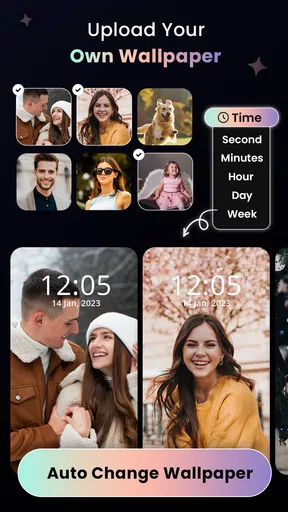
High-resolution wallpapers can occupy more storage than standard images, particularly if you download many files instead of applying them directly. A static wallpaper normally has little effect on battery life, although animated backgrounds, automatic wallpaper rotation, or heavily featured live wallpaper tools may consume additional power. Keeping only preferred images and disabling unnecessary background features can help reduce these effects.


